
>

>

Living Better Every Day by Building Habits That Truly Last a Lifetime

>

>

Living Better Every Day by Building Habits That Truly Last a Lifetime

>

>

Living Better Every Day by Building Habits That Truly Last a Lifetime

How to Set Up Buffer Time Between Meetings

How to Set Up Buffer Time Between Meetings

When appointments are scheduled too close together, even a minor delay can affect your entire day. With Cal ID, you can configure buffer times for different event types, prevent back-to-back bookings, and create a more balanced schedule that works for both you and your clients.

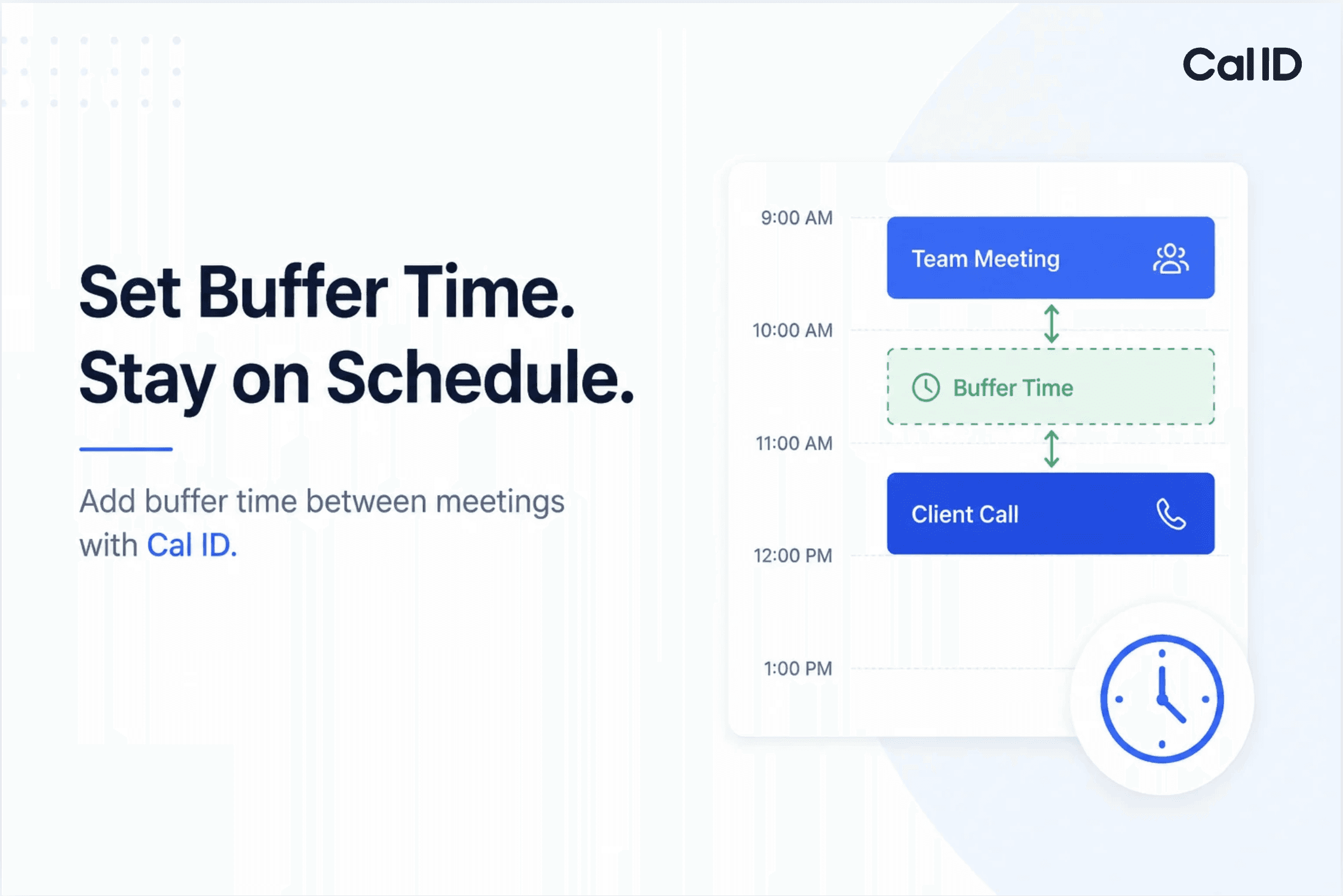
In Cal ID, Event Buffers are a great way to ensure you never have back-to-back meetings without a break. This feature automatically adds "padding" before or after your appointments so you have time to prep, take a breath, or wrap up notes.

Let's learn how to set up buffer time between meetings with Cal ID.

Before you begin: Sign in to your Cal ID account and make sure you have at least one event type created. Steps to Set Up Buffer Time Between Meetings:

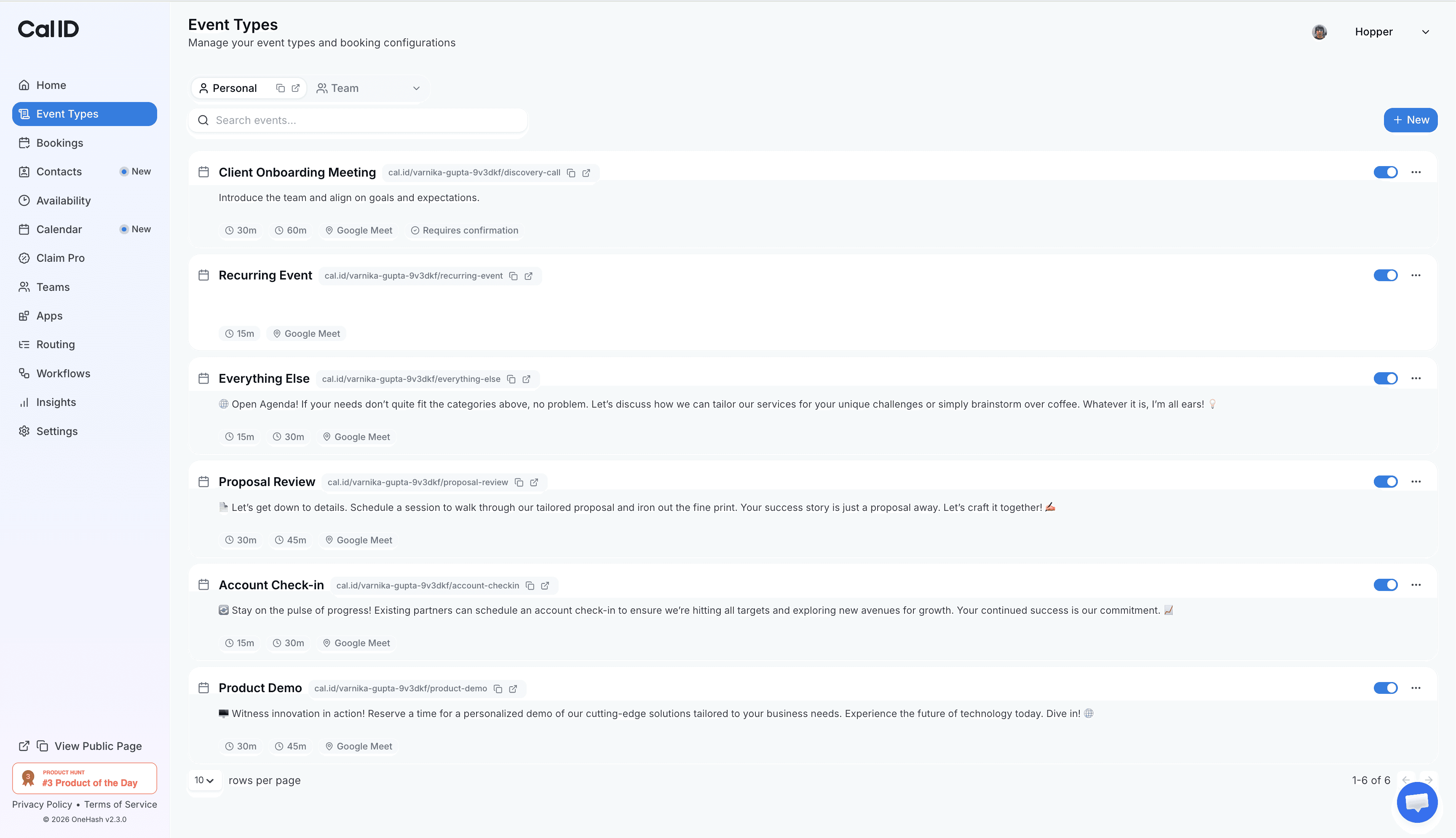
1. Open Your Event Type

Log in to Cal ID → Go to Event Types → Select the event where you want to add buffer time → Click Edit.
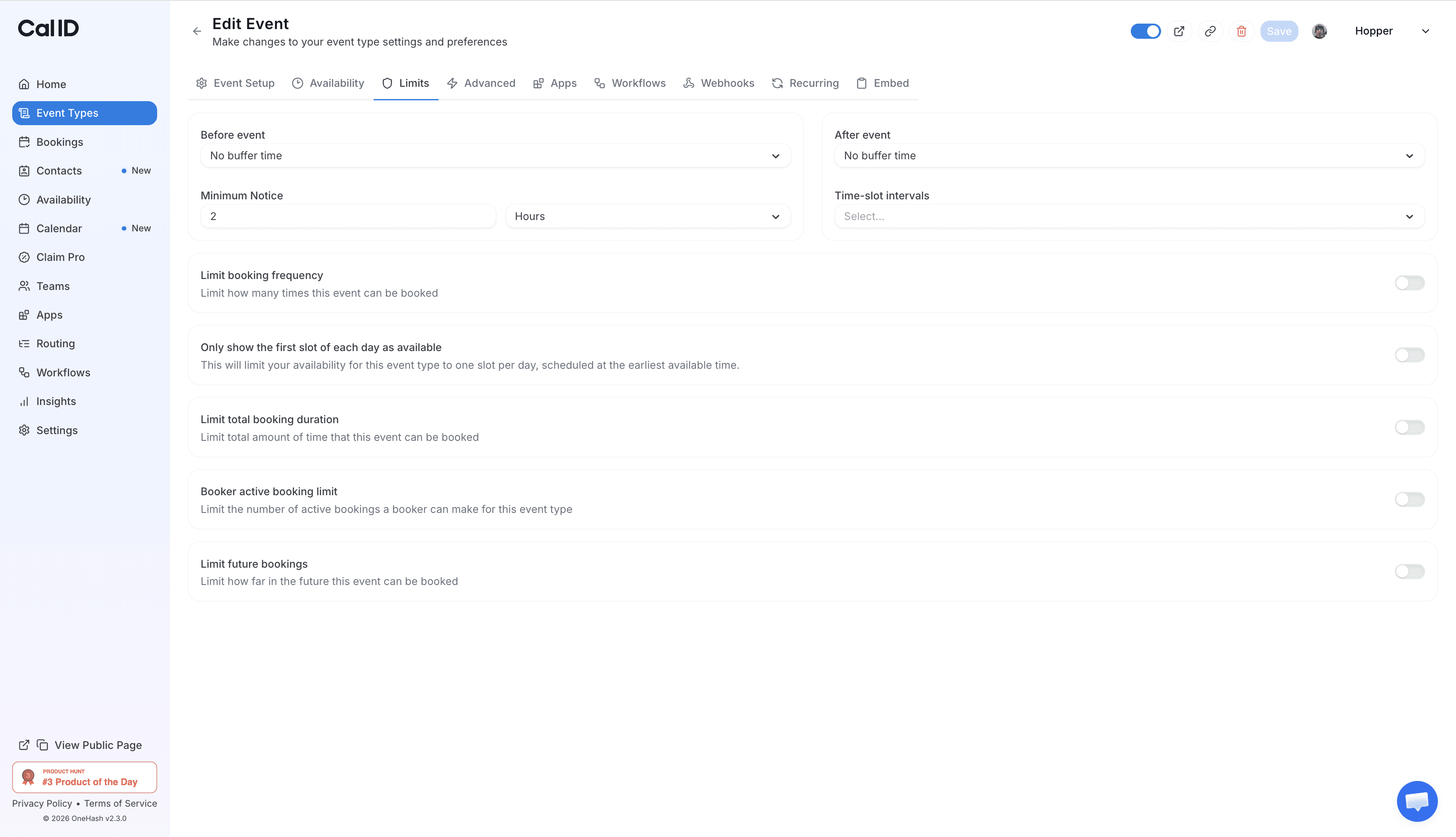
2. Navigate to the Limits Tab

Inside the event editor, click on the Limits tab from the top navigation menu.
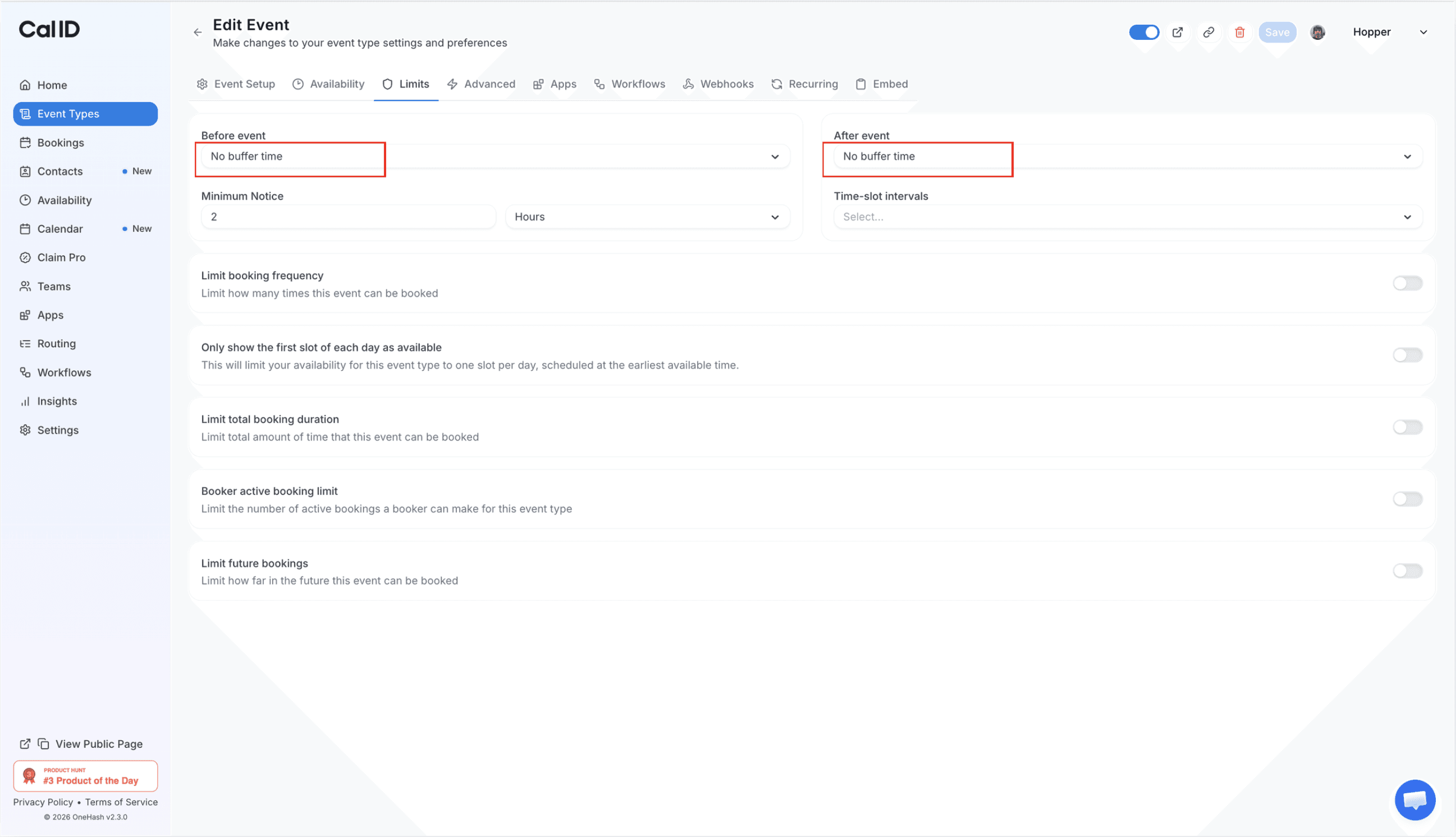
3. Configure Buffer Time

Find the Before Event and After Event settings → Enter the number of minutes you want blocked before or after each booking → Choose the settings that best fit your schedule.
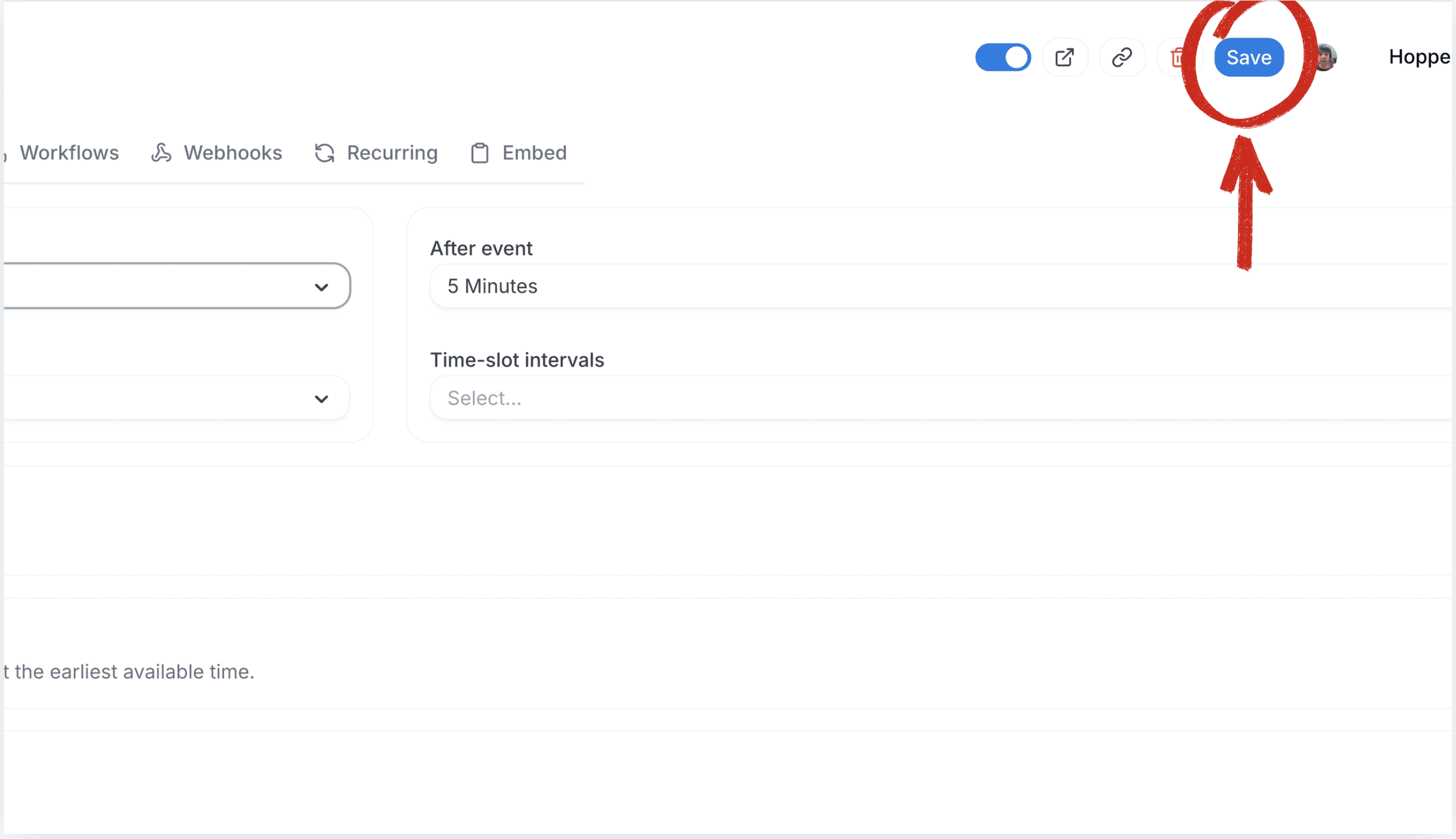
4. Save Your Changes

Click Save to apply the buffer settings. Future bookings will automatically include the specified gap between appointments.
5. Verify Your Booking Page

Open your booking link and review the available time slots. You should now see spacing between meetings based on the buffer time you configured.


Note: Buffer time applies to future bookings only. Existing appointments on your calendar will not be affected. To avoid scheduling conflicts, choose buffer durations that match your workflow and meeting requirements.






About

We influence 20 million users and is the number one business and technology news network on the planet

Follow us:

Newsletter

Subscribe now to stay updated with top news!

Subscribe to our newsletter and be the first to access exclusive content and expert insights.

- Sponsored Ad -

Smarter tools for modern teams—powering faster workflows and better decisions every day.

About

We influence 20 million users and is the number one business and technology news network on the planet

Follow us:

Newsletter

Subscribe now to stay updated with top news!

Subscribe to our newsletter and be the first to access exclusive content and expert insights.

- Sponsored Ad -

Smarter tools for modern teams—powering faster workflows and better decisions every day.

Related Post

on

Aug 18, 2025

Cal ID lets you accept booking payments through Razorpay. Learn how to integrate Razorpay with Cal ID to automate payment collection, manage scheduling, and get paid before every meeting.


See what the world says about us

Capterra Logo
Award Badge
GetApp Logo
Capterra Logo
Software Advice Logo

Free Online Appointment Scheduling Software

Cal ID is a free online appointment scheduling software that lets people book time with you without emails or follow-ups. You choose when you’re available, share a link, and the meeting gets booked automatically. It works as a simple tool, platform, and system to manage appointments and payments in one place, so scheduling stays easy and organised.

© 2026 Cal ID, All rights reserved.

See what the world says about us

Capterra Logo
Award Badge
GetApp Logo
Capterra Logo
Software Advice Logo

Free Online Appointment Scheduling Software

Cal ID is a free online appointment scheduling software that lets people book time with you without emails or follow-ups. You choose when you’re available, share a link, and the meeting gets booked automatically. It works as a simple tool, platform, and system to manage appointments and payments in one place, so scheduling stays easy and organised.

© 2026 Cal ID, All rights reserved.

See what the world says about us

Capterra Logo
GetApp Logo
Capterra Logo
Software Advice Logo

Free Online Appointment Scheduling Software

Cal ID is a free online appointment scheduling software that lets people book time with you without emails or follow-ups. You choose when you’re available, share a link, and the meeting gets booked automatically. It works as a simple tool, platform, and system to manage appointments and payments in one place, so scheduling stays easy and organised.

© 2026 Cal ID, All rights reserved.

See what the world says about us

Award Badge
GetApp Logo

Free Online Appointment Scheduling Software

Cal ID is a free online appointment scheduling software that lets people book time with you without emails or follow-ups. You choose when you’re available, share a link, and the meeting gets booked automatically. It works as a simple tool, platform, and system to manage appointments and payments in one place, so scheduling stays easy and organised.

© 2026 Cal ID, All rights reserved.